
Download Utilu Mozilla Firefox Collection – Test Your Site Across Firefox Versions
Overview
The Utilu Mozilla Firefox Collection is a specialized toolkit designed for web designers, developers, and QA engineers who need to verify how their sites render across a range of Firefox releases. Instead of installing multiple legacy browsers manually, this collection bundles Firefox versions from 2.0 up through the most recent 3.6 (and later updates such as 16.0 Aurora and 17.0 Nightly) in a single, easy‑to‑manage package. Each bundled browser runs in its own isolated environment, allowing you to launch the same URL side‑by‑side in every version you select.
The suite also ships with essential developer extensions like Firebug and Web Developer, giving you instant access to debugging tools that match the era of each browser. Whether you’re fixing CSS quirks that appear only in older builds or ensuring JavaScript compatibility with legacy Firefox engines, Utilu’s collection saves time, reduces friction, and guarantees a consistent testing workflow. The package is lightweight, free to download, and receives periodic updates that keep the bundled browsers aligned with Mozilla’s security patches.
For teams that support a wide audience—including users still on legacy systems—this collection is an indispensable, secure, and cost‑effective solution.
Key Features & Developer Add‑ons
- Multiple Firefox versions (2.0 – 3.6, plus Aurora 16.0 and Nightly 17.0) packaged together.
- Side‑by‑side launch capability for instant visual comparison.
- Integrated developer extensions: Firebug (latest 1.10.2) and Web Developer toolbar.
- Automatic updates for bundled browsers and plug‑ins, including Flash Player 11.3.300.270.
- Portable installation—no system‑wide registry changes required.
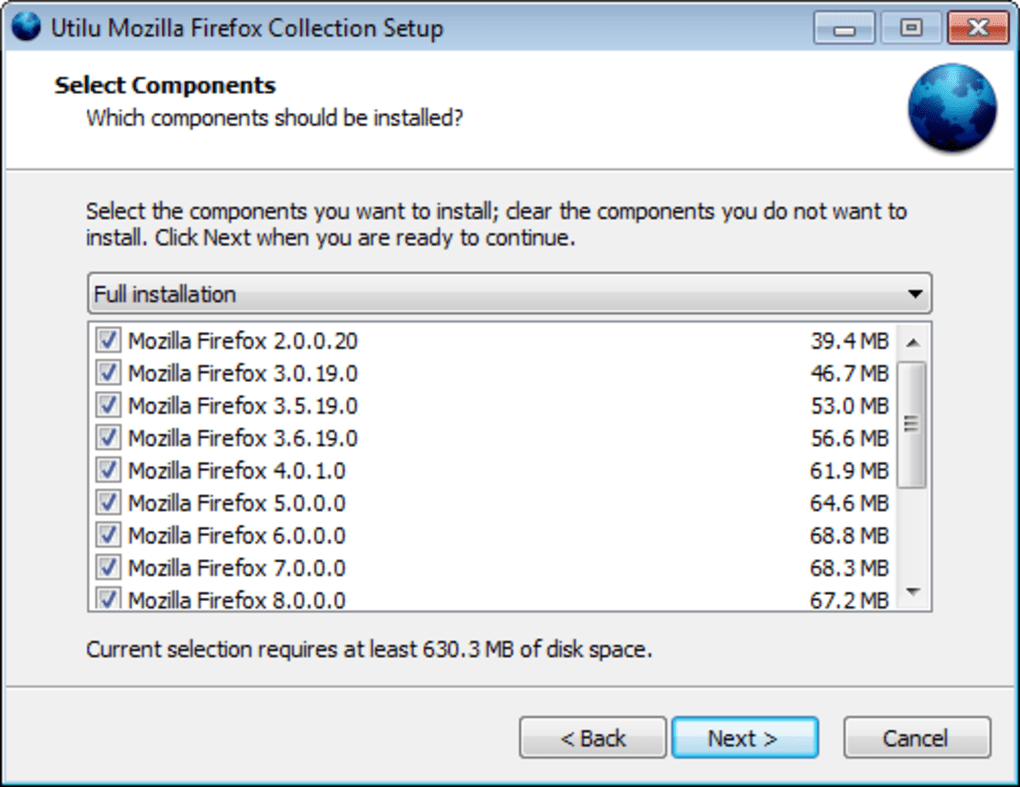
- Selective version deployment; choose only the releases you need.
- Secure sandboxed environments that prevent interference with your primary Firefox installation.
- Comprehensive changelog documenting each browser revision and add‑on version.
These features make Utilu Mozilla Firefox Collection a one‑stop solution for cross‑version testing. The built‑in add‑ons ensure that you have the same debugging capabilities you would on a regular Firefox install, while the portable nature keeps your main system clean. Because the collection is updated regularly, you stay aligned with Mozilla’s security standards without having to manually hunt down old installers.
Installation, Usage & System Compatibility
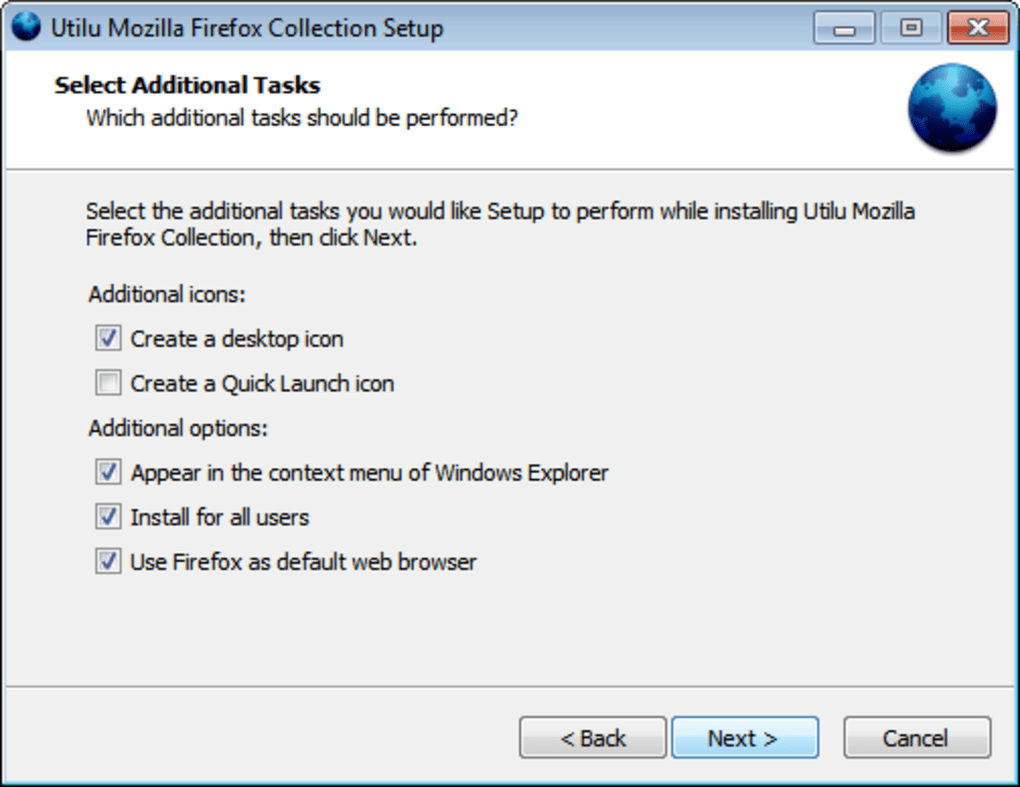
Installing Utilu Mozilla Firefox Collection is straightforward. Download the installer (a single .exe for Windows or .dmg for macOS) and run it with administrator privileges. The wizard presents a checklist of available Firefox versions; simply tick the releases you need and click Install. The installer extracts each browser into its own folder under C:\Utilu\FirefoxCollection (or the equivalent macOS directory). No registry entries are created, so you can safely remove the collection later without affecting any existing Firefox installations.
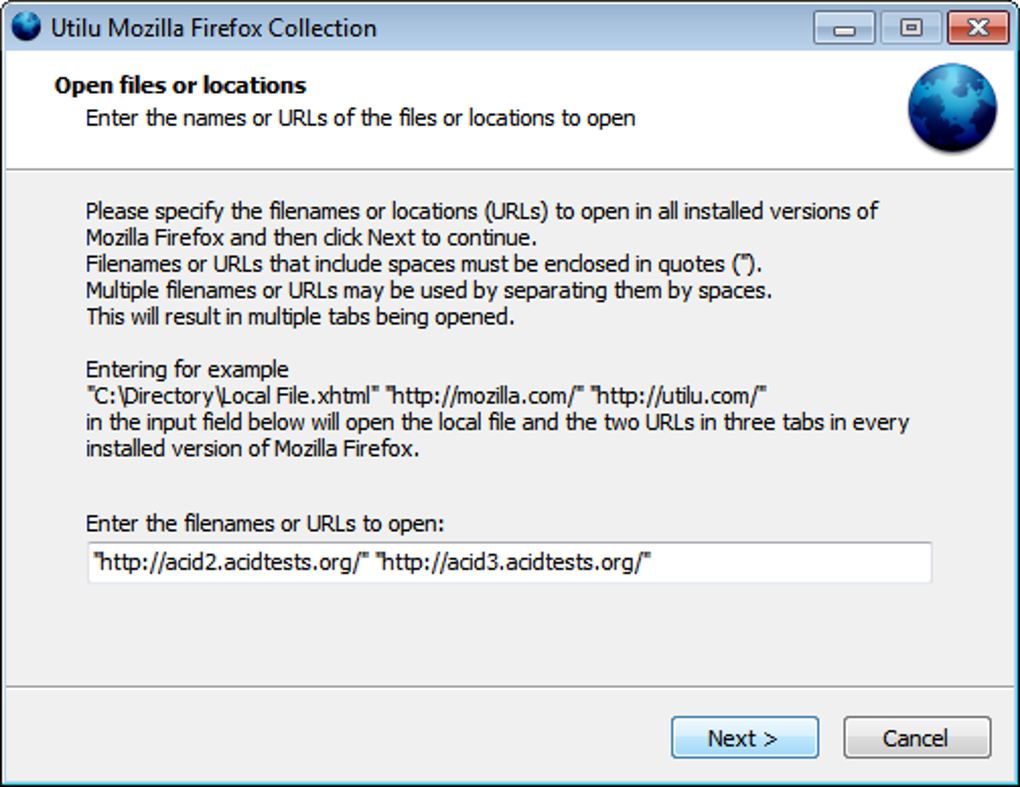
To start a testing session, launch the “Utilu Launcher” that appears on your desktop. Select the target URL, then choose the desired Firefox versions from the panel. Click Open All and each browser window opens simultaneously, each pointing to the same page. You can then toggle between windows, use Firebug in each instance, and capture screenshots for documentation.
The collection is compatible with Windows 7, 8, 10, and 11 (both 32‑bit and 64‑bit) as well as macOS 10.12 and later. A limited Linux build is also available for Debian‑based distributions, though the Windows package remains the most feature‑complete. Because each Firefox version runs in its own isolated folder, there is no conflict with your system‑wide default browser.
Pros, Cons & Frequently Asked Questions
Pros
- Eliminates the need for multiple manual installations of old browsers.
- Side‑by‑side testing speeds up visual regression checks.
- Includes essential developer tools pre‑installed.
- Portable and sandboxed—no system registry changes.
- Free download with regular security updates.
Cons
- Does not include Firefox 1.5, which some ultra‑legacy sites still target.
- Linux support is limited compared to Windows/macOS.
- Only covers Firefox; Chrome, Edge, and Safari require separate tools.
Frequently Asked Questions
Is the Utilu collection free to use?
Yes, the entire package can be downloaded and used at no cost. Optional donations are accepted to support continued updates.
Can I test a site on mobile Firefox versions?
The collection focuses on desktop builds. For mobile testing you’ll need separate emulators or real devices.
Does the installer affect my current Firefox profile?
No. Each bundled version creates its own profile folder, leaving your main Firefox profile untouched.
How often is the collection updated?
Updates are released roughly every quarter, adding newer Firefox builds and refreshing add‑ons like Firebug.
Can I uninstall individual Firefox versions?
Yes. Each version resides in its own folder, so you can simply delete the folder of any version you no longer need.
Utilu Mozilla Firefox Collection ReviewOverall, Utilu delivers a reliable, free solution for multi‑version Firefox testing. While the absence of Firefox 1.5 and limited Linux support keep the rating from being perfect, the convenience of bundled developer tools and sandboxed installs make it a strong choice for web professionals.
Conclusion & Call to Action
If you regularly need to verify how your site behaves across different Firefox releases, the Utilu Mozilla Firefox Collection offers a secure, free, and time‑saving way to do it. The portable installer, built‑in Firebug and Web Developer extensions, and side‑by‑side launch capability combine to create a workflow that minimizes manual effort and maximizes testing accuracy. Though it doesn’t cover every single legacy version, the range it does include is sufficient for the vast majority of real‑world scenarios. Download the collection today, set up the versions you need, and start catching compatibility issues before they reach your users.
Click here to download Utilu Mozilla Firefox Collection now and bring reliable cross‑version testing into your development pipeline.







